Home
Support & Contact
Français
Home
Support & Contact
Français
How to copy your word groups to the Parent/Teacher or Student Edition app
It's simple. Follow the instructions below.
Select a group to copy.
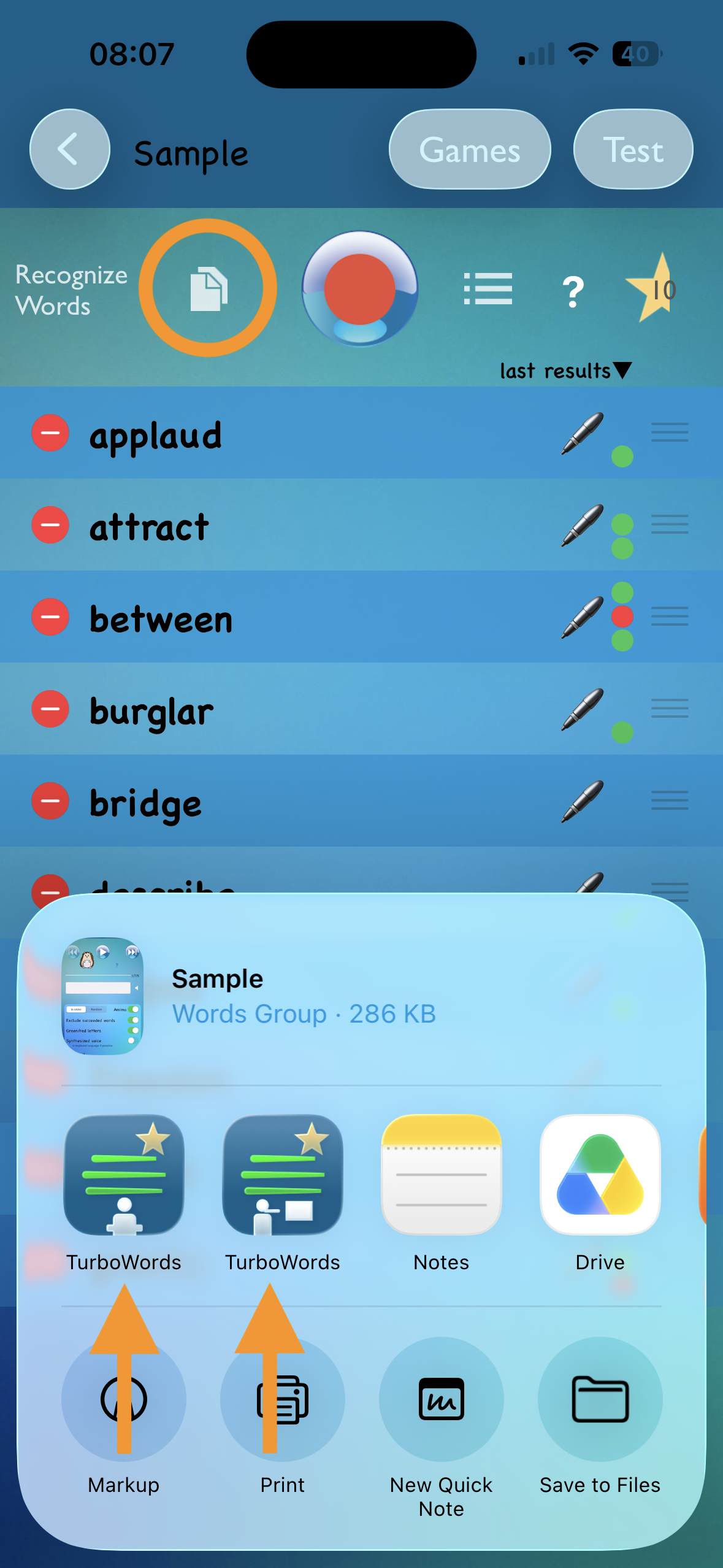
Tap the Copy button, as circled in the example screenshot on this page.
A menu will appear at the bottom, see the screenshot.
Tap the TurboWords icon of the Parent/Teacher or Student Edition app.
The group is copied to the TurboWords app of your choice.
Repeat for each group to copy.